

Sell Photos Online: Prepare Your First Stock Submission
You want to sell photos online, but a folder full of attractive images is not yet a stock portfolio. Before uploading, decide which photographs you can license, check the files at full size, and describe them accurately. A small, carefully prepared selection is a more manageable starting point than sending every frame from a shoot.
Stock libraries license images to customers. Adobe Stock, for example, says contributors retain ownership while granting Adobe rights to license their content. Its moderation team evaluates submissions for technical quality, legal compliance and commercial suitability. Uploading is therefore a submission for review, not an immediate sale.[6]
Daftar Isi
Start with photos you can offer for licensing

Choose photographs you created and for which you can establish the necessary rights and permissions. Keep the original files and relevant agreements together. If a photograph came from a commissioned shoot, do not assume that delivering it to a client also permits you to submit it to a stock library: check the agreement and obtain clarification before proceeding.
People and property need particular attention. Adobe Stock requires model releases for recognizable people and property releases for identifiable locations, artwork or objects covered by its requirements. Its model-release guidance says recognition can involve more than a face, including tattoos, clothing or surroundings. Use the platform’s current release requirements rather than relying on a casual verbal “yes.”[1][2]
For a first selection, an uncomplicated subject without recognizable people or visible branding can make the checks easier to organize. That is a practical starting point, not an assurance that every still life is cleared. Review the background as carefully as the main subject, and set aside anything with unresolved permissions.
Prepare files before you sell photos online
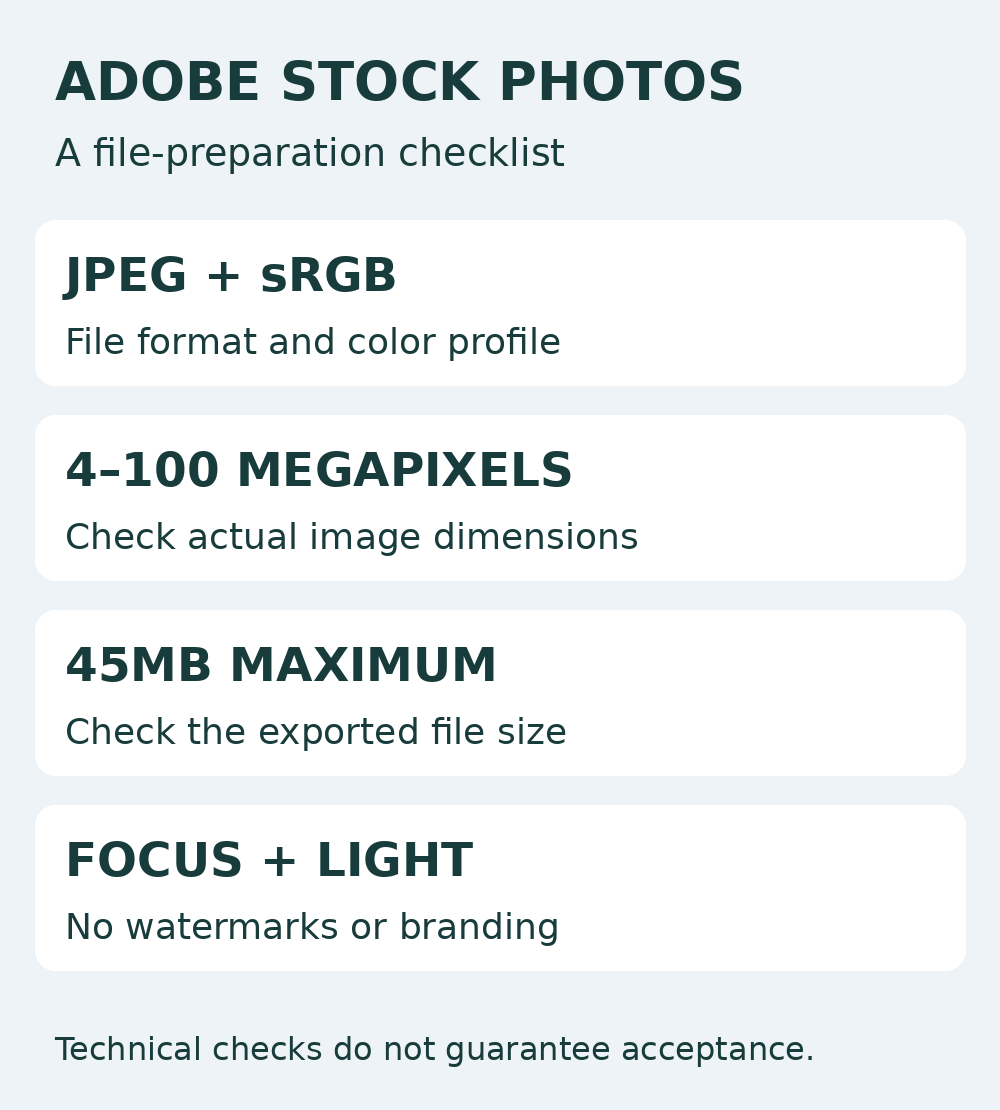
“HD” is not a complete submission specification. Read the chosen library’s requirements for file type, pixel count, color profile and size. Adobe Stock’s photo requirements specify JPEG with an sRGB color profile, 4–100 megapixels and a maximum file size of 45MB. Photos must be sharply focused and well lit, without watermarks, timestamps or branding. These are Adobe’s requirements, not universal rules for every marketplace.[1]
Adobe also recommends viewing a photo at 100% full resolution or higher before upload. Examine the important detail, edges, background and any retouched areas rather than judging only a small thumbnail. Keep your editable original separate from the JPEG you intend to submit, so you can revisit an adjustment without repeatedly overwriting the master.[7]
If you need help with color correction or cleanup, give the editor the destination library’s specifications and a clear list of permitted changes. Shaniba Creative Industry offers photo editing and retouching; you can discuss the files and editing scope before deciding what to request. Editing does not replace rights clearance or guarantee acceptance by a stock library.
Write titles and keywords that describe the image

Think about what a buyer can actually see. For a photograph of sliced oranges on a grey surface, describe the fruit, surface, viewpoint and any relevant space for text. Do not add an unrelated destination, brand or fashionable topic simply to attract searches. This example is a suggested description, not a claim about sales performance.
Adobe advises brief, accurate titles and relevant keywords, ordered by importance. Its guidance places the most important terms in the first ten positions and requires titles and keywords to match the language selected in the contributor account. Review automatic suggestions rather than assuming they correctly identify your subject.[4]
Choose the category that best describes the photograph. Accurate metadata helps customers find relevant content; it is not a promise of a top search position or a purchase. Make each selected image useful in its own right, rather than treating a large number of near-identical frames as a substitute for careful selection.
Submit a small batch and learn from the review
Adobe’s documented workflow is to sign in to the Contributor Portal, upload files, enter the category, title and keywords, attach required releases, review the submission and send it for moderation. Approved content then becomes available for customer licensing. Keep a simple record of which file version you submitted and its current status.[7]
Before committing time to a platform, check its current contributor agreement, account requirements and payment arrangements for your circumstances. Do not assume that one payment provider is mandatory everywhere, or that an accepted file will earn money on a particular timetable. Start with files you can confidently explain, preserve the originals, and use the review outcome to guide your next submission.
Useful references
[1] Adobe Stock photo requirements; [2] Model releases; [4] Titles and keywords; [5] SCI photo editing service; [6] Contributor overview; [7] Photo submission workflow.
Share this post to: