Catalog or Themed Product Photography? Choose a Concept for Your Visual Assets
You need photographs for a product page and a campaign, but your chosen references point in different directions. Some show a product cleanly against a plain background; others rely on colour, props and atmosphere. Catalog vs themed product photography does not have to be an either-or choice. Start with the outputs you need, then choose a concept for each use.
For a consultation with Shaniba Creative Industry, a requirements list is more useful than asking for “something that looks good”. The SCI product photography service page, in Indonesian, invites clients to choose or discuss a concept for their products.[1] This guide helps you prepare an output decision matrix: which images you need, which details must be visible and where space is required before the shoot.
Daftar Isi
Separate catalog and campaign objectives
In your brief, use “catalog” for images that need to show the item clearly and consistently, and “themed” for images that need to convey a particular atmosphere or context. These are working descriptions for your consultation, not two categories that never overlap. A photograph can provide context and explain a product at the same time. Decide which task should take priority.
For a product page, identify the information you need to show: the complete shape, package contents, reverse side or material detail. For campaign assets, describe the intended mood and planned copy position. “The whole bottle is visible and the label can be read” is more specific than “premium”. “Clear space on the left for the campaign headline” is easier to discuss than “creative”. Do not let adjectives replace information requirements.
Check the requirements of the destination you actually use. As a specific example, Google Merchant Center asks main images to display the entire product accurately with minimal or no staging.[2] Its additional-image guidance allows product staging or showing a product in use.[3] This distinction explains why the role of each image belongs in the brief. These are not universal rules for every marketplace or advertisement; check your own destination’s requirements.
If both uses matter, plan complementary outputs. Do not depend on a prop-heavy campaign photograph for every main-image field, or assume a catalog photograph will become a suitable banner without checking its composition. Clear priorities support a scope discussion. They do not mean every variation is automatically included in one session.
Compare background, detail and copy space

Review references with three questions. Does the background support the image’s task or distract from essential information? Is the required part of the product visible? Is there enough room for copy placement and cropping? Write the answers beside each reference link so that the reasons for choosing it survive when someone else receives the brief.
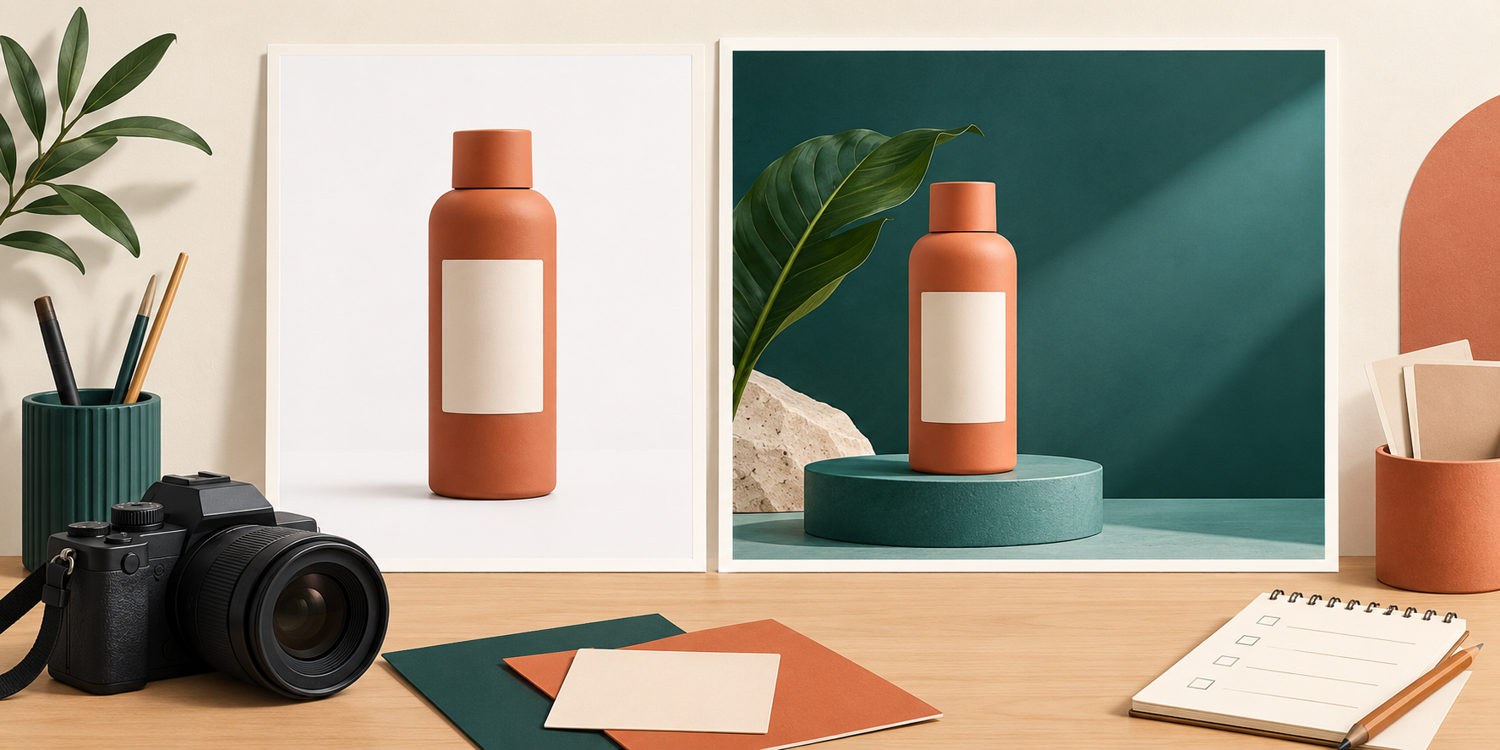
Prioritise a plain background when viewers need to read the shape or differences between variants quickly. Discuss a themed setting when usage context or campaign character is part of the requirement. Props should not confuse what is being sold. If a concept includes an accessory that is not supplied with the product, explain its role in the brief and communicate the offer’s contents separately.
Copy space does not mean adding lettering to every delivered photograph. You can request a composition with clear space for a designer, then distinguish clean photographs from designed assets in your agreement. Make sure the empty area fits the final layout. A wide image with the product at the edge may not crop to a square without losing important information.
The illustration above is a conceptual comparison of compositions only. For real products, check shape, colour, labels and contents against your own item. Do not treat a concept illustration as proof of product accuracy, or assume a themed image permits changing the product’s characteristics to make it look different.
Build a catalog vs themed product photography matrix
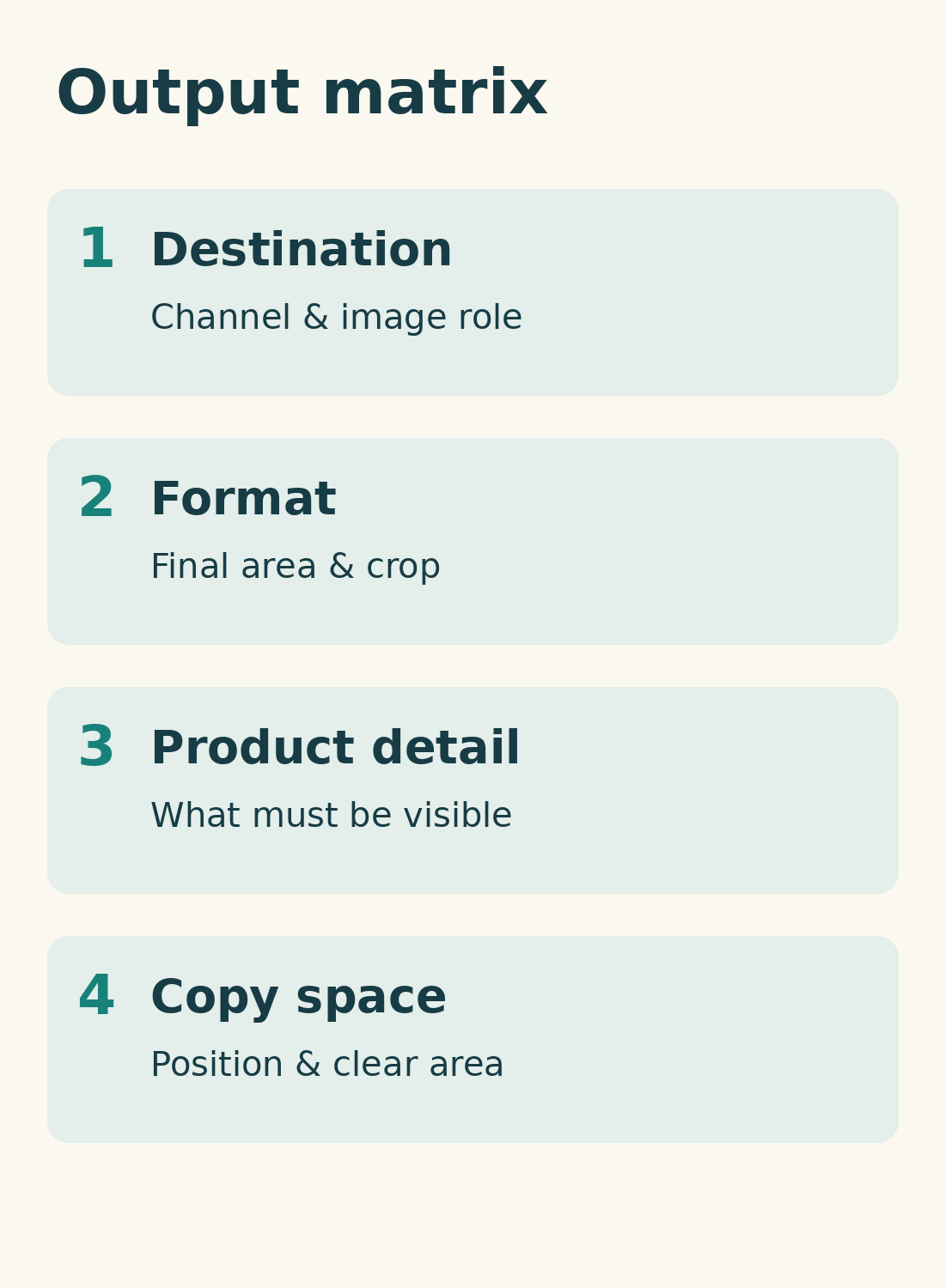
Create one row for each output. Record four decisions: destination, final format or image area, priority product detail and copy-space needs. Add an order of priority if the list is long. Format should reflect your intended layout, not a guessed specification that supposedly applies to every channel.
Here is a hypothetical example for one product. The product-page main image needs a complete, clean composition with the front label prioritised and no promotional copy space. An additional detail image needs a view explaining the closure or material, without offer information. A campaign banner needs a wide themed composition and clear space on the left. A social asset needs the format of the planned design, with the product still readable after cropping.
This example is not an SCI package. Replace each row with your actual requirements and mark unresolved details as “to be agreed”. If your designer has a layout, attach its image area. If not, discuss formats before settling the number of compositions. Do not assume all requested outputs can be made from a single file.
The matrix can also expose conflicting needs. A banner with a small product and generous copy space does not perform the same task as a close view of a label. If you must choose, prioritise the output needed for your next use, then discuss additions. Confirm file quantities, variations and design work directly rather than inferring them from the example.
Agree priorities and limits of changes
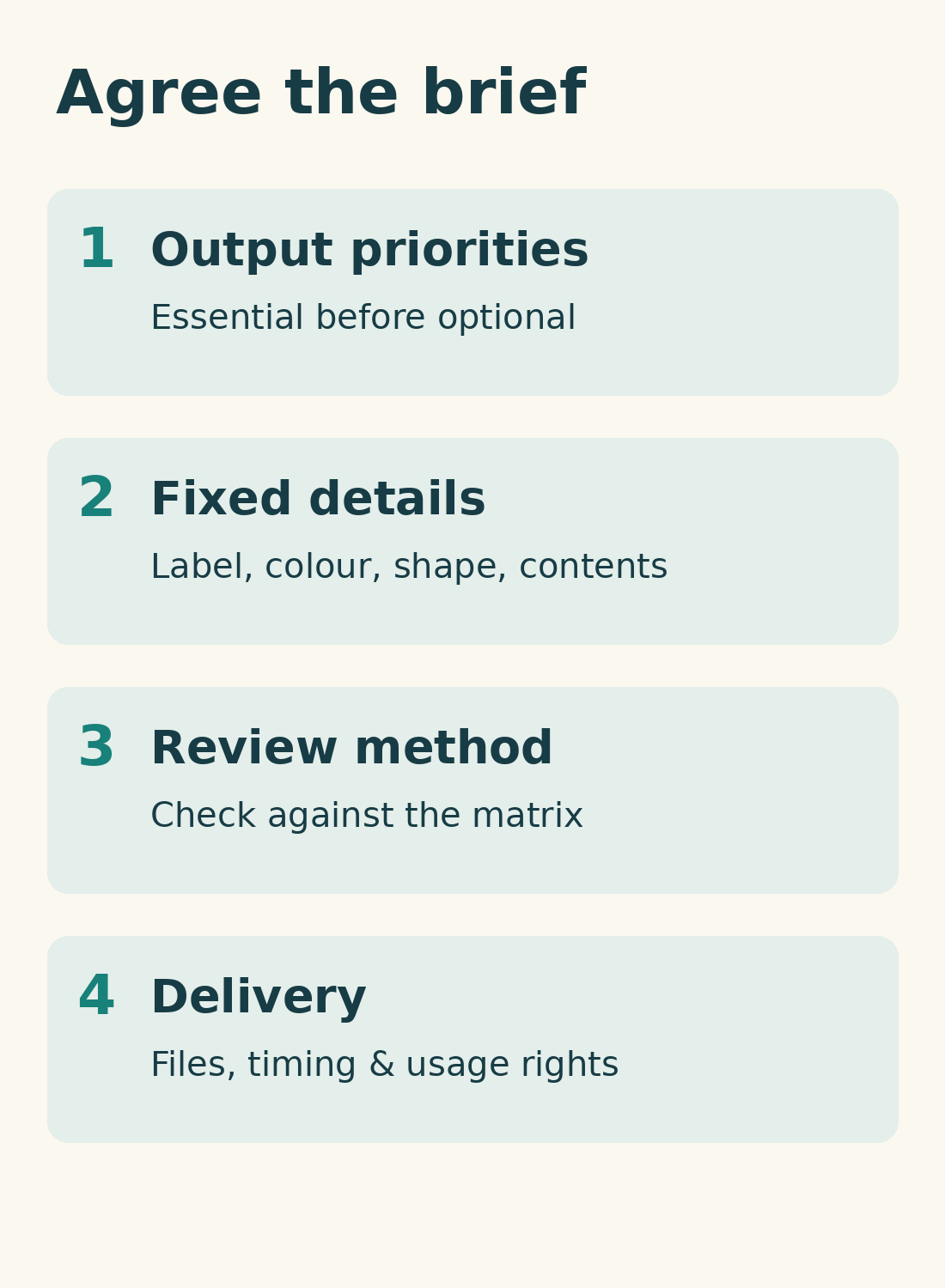
Before booking, send the matrix with references and a list of product details that must remain unchanged. These might include label wording, variant colour, packaging shape and accessories actually supplied. Also describe changes you want to discuss, such as tidying marks on the background. Do not assume every retouching request is available or suitable for every destination.
Ask how you will review the result against the matrix. Check whether required outputs are present, important details are visible and each composition fits its design area. Use agreed criteria instead of changing the concept after seeing the results. Confirm scheduling, revision arrangements, fees, delivery formats and usage rights within the scope of your own booking.
You could begin with: “We need a clean main product image and a warm-themed campaign banner. Here is our output matrix, the details to preserve and our designer’s layout. Please discuss priority compositions and the scope.” Bring the list to the SCI consultation portal.[4] The catalog-or-themed decision can then follow the purpose of the assets, not simply the most attractive reference.
References
[1] SCI product photography services, in Indonesian. [2] Google Merchant Center: main images. [3] Google Merchant Center: additional images. [4] SCI consultation. AI-generated conceptual illustrations and original diagrams are not client product photographs or SCI portfolio work.
Share this post to: