

Capture One 16.9 Beta 2: Match File Names Before Retouching
A client chooses a photograph from a preview, but the original has a different filename. When the retouching request arrives, the first task is working out which file they mean. Capture One 16.9 Beta 2, released on October 20, 2026, introduces a Source Filename token to help connect those names. It also adds a Headshot Tools script and a Multi-User Sessions connection overview, with those latter two features available only on macOS.
The useful distinction from Beta 1 is the handoff, rather than another tour of its retouching tools. Connecting a camera original to a selection or editing instruction can make a brief clearer. However, the new token has specific limits: its value depends on the capture or import route, and camera support is not universal.
Daftar Isi
Source Filename connects file names, but cannot reconstruct every archive

A token supplies a value automatically within a naming pattern. The Capture One 16.9 Beta 2 release notes describe Source Filename as available in Import naming, Next Capture Naming, Export Naming, Export Location, Batch Rename, and the Watermark tool. That gives photographers several places to retain a reference to the source when preparing selections and deliverables.
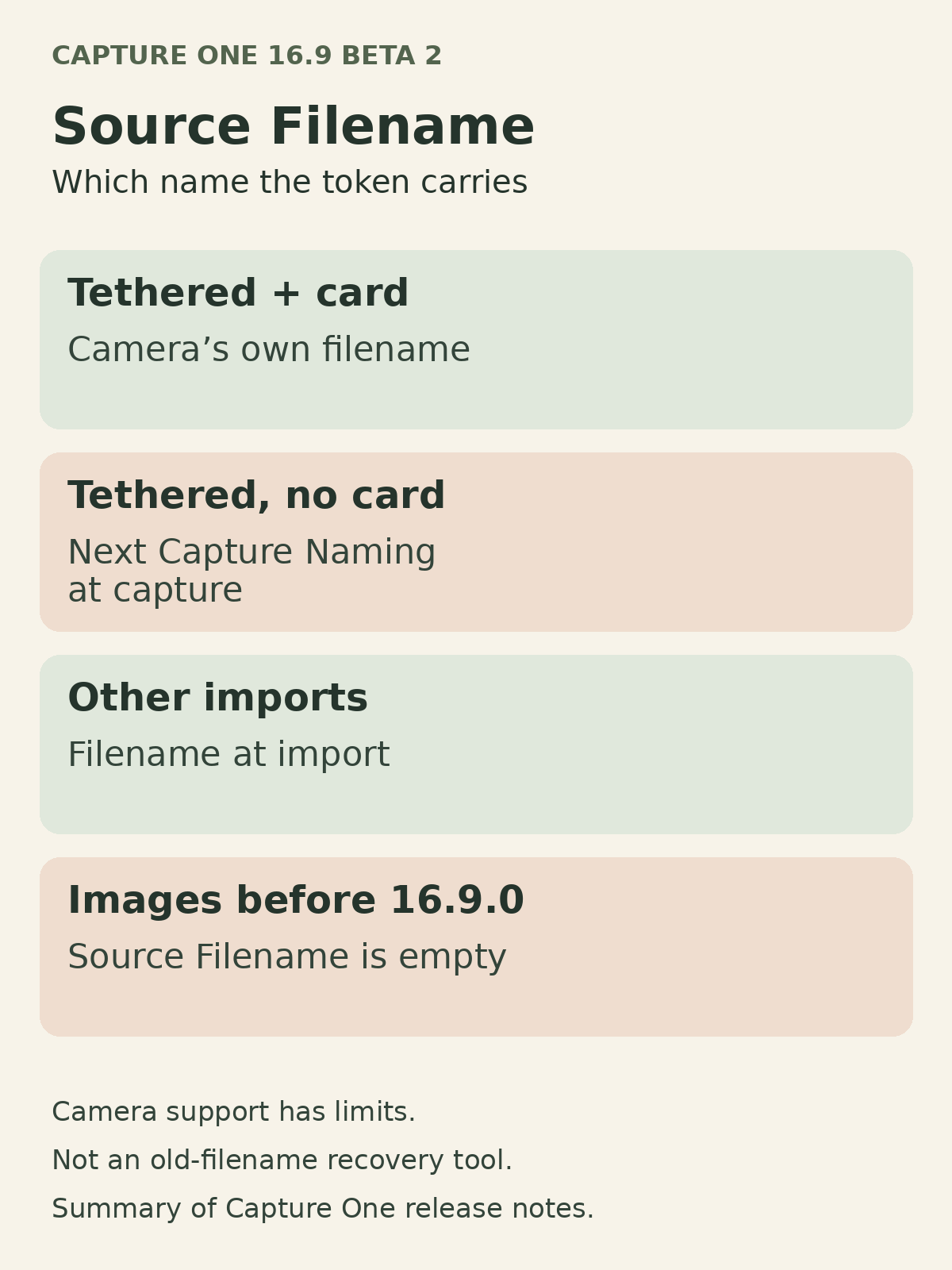
For tethered capture, where the camera is connected to a computer, a memory card in the camera makes the token use the camera’s own filename. Without a card, it uses the name defined in Next Capture Naming at the moment of capture. For any other import, it records the filename at import, which is not necessarily the earliest name the photograph ever had.
Images captured or imported before version 16.9.0 have an empty Source Filename. This is therefore not a promise to recover old names from an existing archive. If a camera does not supply a filename, the token remains empty and Capture One logs an event.
Leica, Phase One, and FUJIFILM cameras are unsupported for this feature. Some older Sony, Canon, Nikon, and Panasonic models remain untested and may not work either. Check the actual camera and capture route with sample files rather than treating a supported brand as a guarantee for every model.
The macOS Headshot Tools script changes session setup and workspace

The new default Headshot Tools script runs from the Scripts menu. Capture One prompts you to create a Session, then sets the workspace, Next Capture Adjustments, and Next Capture Naming to the values Headshot Tools expects. It also creates an export recipe matching Headshot Tools specifications, or selects that recipe if it already exists.
Save a customized workspace before running the script: it changes the workspace, not merely a naming field. For a portrait session, automated setup still leaves people responsible for agreeing on subject names, final selections, and export destinations. A correctly configured session does not itself make a client’s editing instructions unambiguous.
Beta 2 also adds a connection overview under the connection icon in the Library tool for Multi-User Sessions, another macOS-only feature. The host sees connected collaborators, transferred files, and pending files; collaborators see how many files they have received. These counts help distinguish completed transfers from outstanding ones. They should not be confused with confirmation that a client has approved a selection or retouch.
Keep beta evaluation separate and make the client handoff explicit
This beta expires on October 30, 2026. Capture One says beta software is not intended for critical work and support is not provided. Install it in a different directory from the production installation and work on copies of images, Sessions, or Catalogs, ideally on a separate partition or secondary user account. A live client deadline is not the place to depend on an experimental installation.
Sessions and Catalogs from version 16.8.6 or earlier need upgrading to open in 16.9. Once upgraded, they cannot reopen in older versions unless restored from backup. Keep that backup before evaluating the release.
For a product or portrait retouching handoff, include the original filename, preview or export name, final selection status, and instructions for each photograph. Specify what may change, what must remain, the output format, and the deadline. If Source Filename is empty, provide a separate name-matching record rather than guessing from image order.
To discuss editing requirements with Shaniba Creative Industry (SCI) in Yogyakarta, use the SCI service contact page. Bring a sample file and clear selection references so the conversation can focus on the photograph and changes you actually mean.
Share this post to: